I registered a domain in Hetzner. I found a pretty cheap domain from Hetzner and I took it. However, I wanted to change the DNS server to Cloudflare. Internet did not give me clear answers on where to do that in Hetzner’s platform. They have got different pages: Console, Robot, DNS etc. They are phasing out DNS and the Robot page was a bit strange. Below, you can read how to change DNS server for a domain registered in Hetzner.
How to change DNS server in Hetzner
In the end, it was pretty simple.
- Go to konsoleH page.
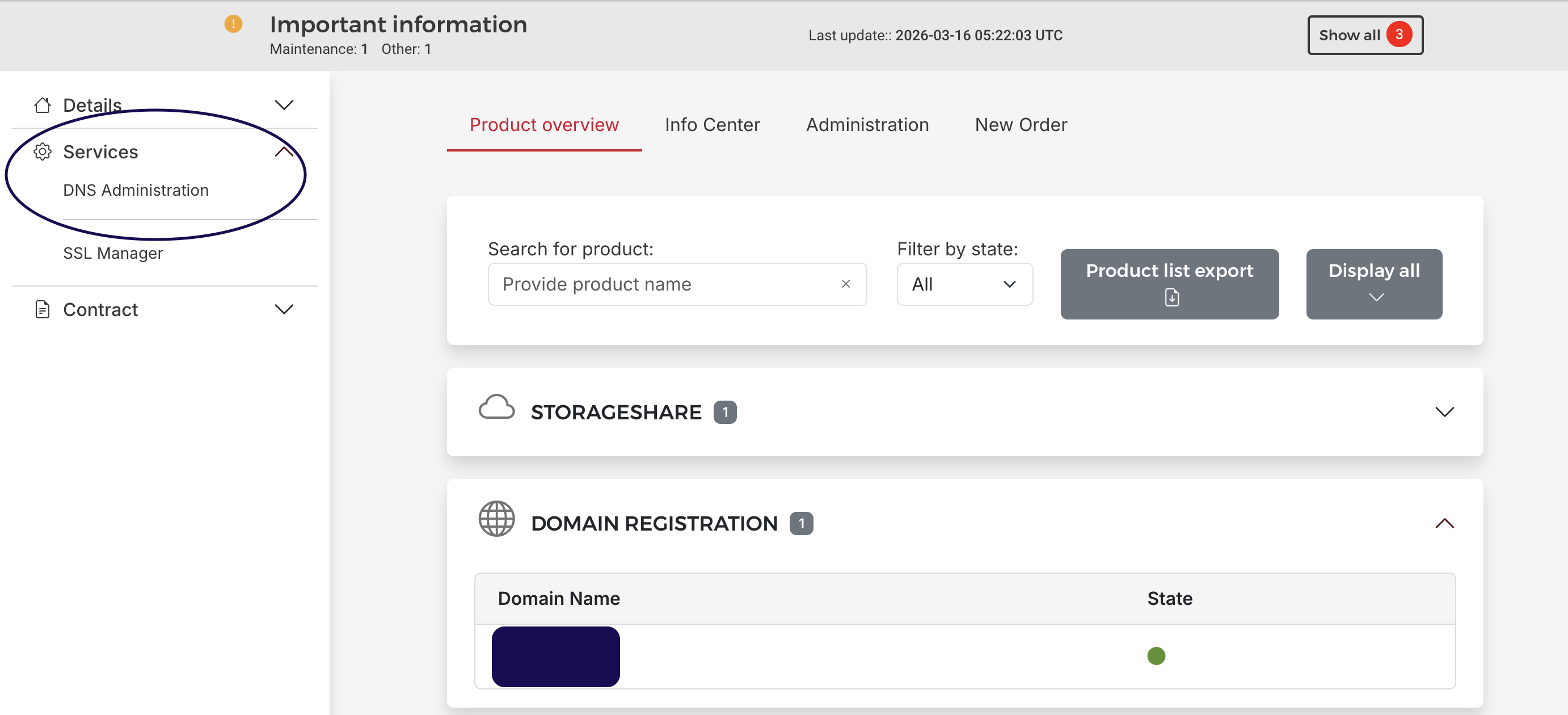
- Find your domain under Domain Registration and click on it.
- You will find the DNS administration link in the Services section on the left.
 .
.
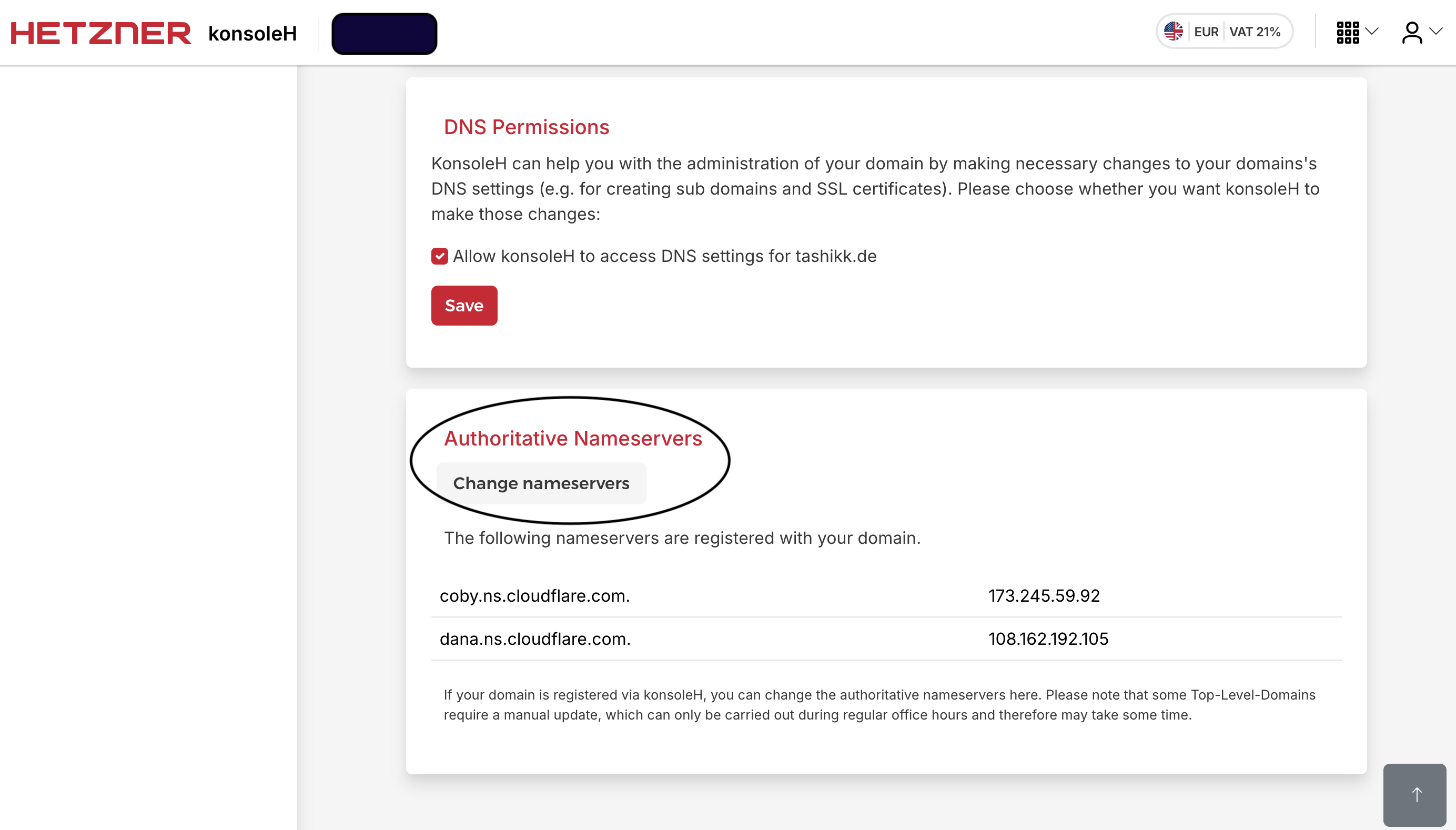
- In the DNS administration page, at the bottom, there is Change nameservers button under Authoritative Nameservers.
- Enter the nameservers you want to use under this. The screenshot below shows how it would look like after you have changed the nameservers.